
World of Anterra Pixel Art: Animation, Lighting & Water
Explore World of Anterra pixel art, from hand-animated layers and palette swaps to height maps, dynamic shadows, and water shaders.
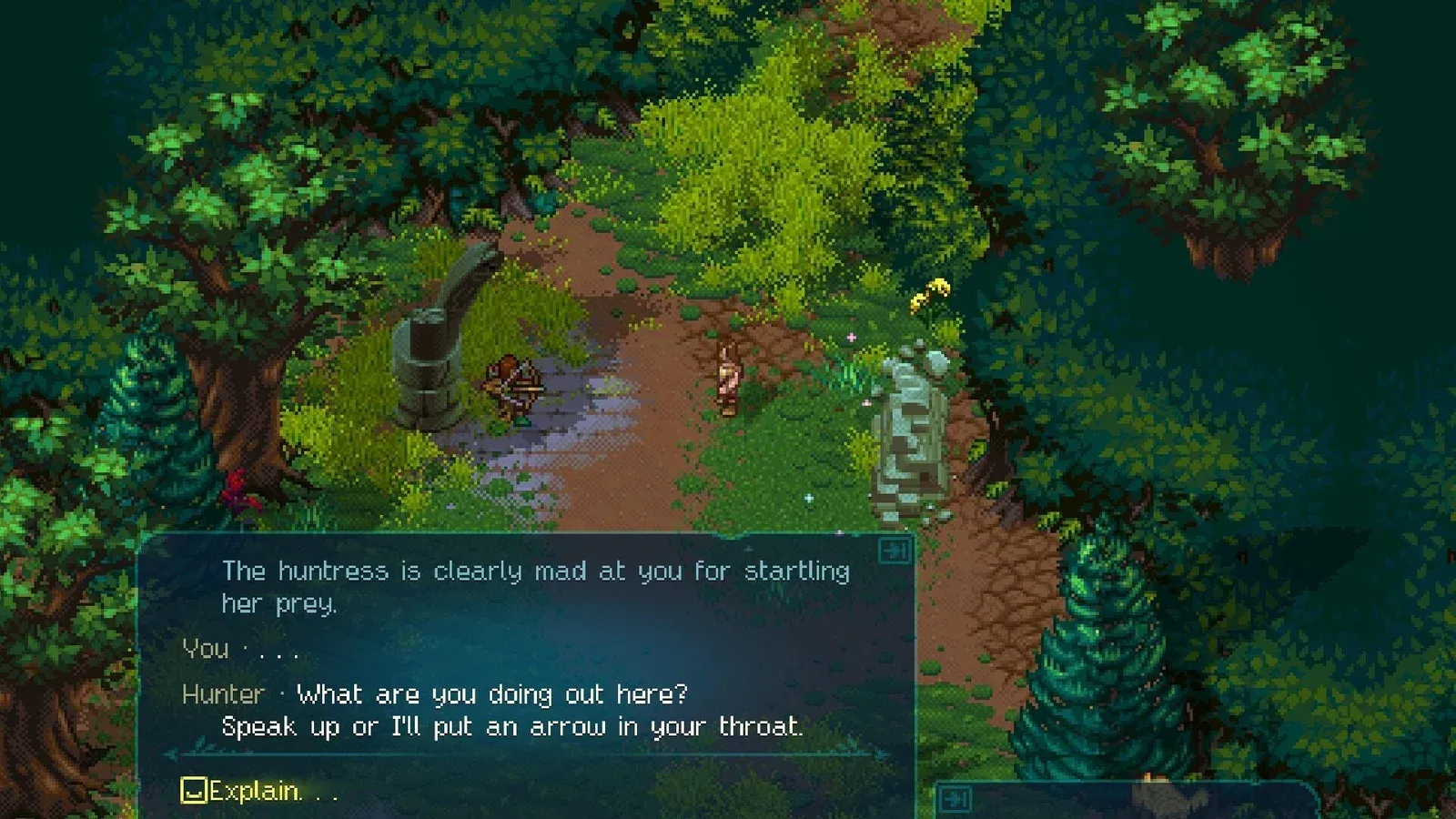
What gives Anterra’s pixel art its depth?
A shadow climbing a crate is a small detail with a big explanation behind it in World of Anterra pixel art. Developer 81monkeys combines hand-animated sprites with height data, layered animation, and water effects to make environments respond to movement and changing conditions. Understanding the game’s pixel art means looking at how these systems support customization, convincing object overlap, and the appearance of a living world.

World of Anterra Trailer 2 — "Let them cook!" · 81monkeys
Official development trailer used as a general visual reference. It is not a keyword-specific tutorial, a device benchmark, or proof that a playable build has released.
The developer’s feature previews offer concrete examples: grass obscures parts of a character, shadows travel over a crate, and water distorts submerged objects. Each effect depends on information or processing beyond the visible sprite.
| Visual component | Developer-described role | Example |
|---|---|---|
| Hand-animated assets | Supply the animated artwork | Characters, NPCs, and creatures |
| Animation layering | Combine artwork with customization | Party members displaying equipped gear |
| Height maps | Describe pixel height above the ground | Grass overlap and shadows crossing crates |
| Water shaders | Produce changing water effects | Refraction, reflections, and rain ripples |
These components perform different jobs within the game’s pixel art. A palette changes an asset’s colors; a height map tells the rendering system how high its pixels should appear. Keeping those roles separate makes the demonstrations easier to understand.
In the October 27, 2026 source snapshot, World of Anterra’s official Steam listing marks the game as not yet available, gives a planned release year of 2026 without a specific date, and lists Windows system requirements. The discussion here concerns developer previews, rather than firsthand testing of a released build.
How animation layers and palette swaps support customization
Customization helps explain why the game’s pixel art uses a custom animation layering system. According to the Steam description, party members can display different items and equipment through layered, hand-animated assets. The system also extends to NPCs and creatures.
Layering and palette swapping address different parts of that variety. Layers allow artwork to work together in an animated character. Palette swapping changes the colors assigned to an asset, letting the team create additional appearances without redrawing its animation for every color variation.
The developer’s palette swapping feature explanation uses NPCs wearing identical clothing to demonstrate the difference. Their colors change while the underlying equipment remains the same.
| Technique | What changes | What the preview establishes |
|---|---|---|
| Animation layering | The artwork combined into an animated character | Equipment and customization work with hand-animated assets |
| Palette swapping | Colors assigned to existing artwork | Matching clothing can appear in different color combinations |
| Limited palettes | The selected colors used by artists | Detailed artwork is built with a restrained color selection |
| Palette strips | Color sets supplied to the system | Artists can provide compact sets of replacement colors |
That distinction matters when judging customization from screenshots. Several differently colored outfits do not necessarily represent several separately drawn clothing designs. In the developer’s example, they demonstrate variations of the same clothing.
The team describes palette swapping as a way to expand its art library alongside unique assets. It also says the system can apply to objects ranging from creatures to furniture. That establishes the intended range of the technique, but it does not provide a final count of outfits, furniture variants, or customization choices.
For viewers, the useful question is what actually changes between examples: the item itself, its color palette, or the combination of visible layers.
How the Shadow Offset Map Editor gives flat sprites height
Height maps explain one of the most distinctive parts of the game’s pixel art: a flat image can carry information about how tall its individual pixels should appear within the scene.
The developer’s Shadow Offset Map Editor demonstration describes maps that encode height through color. The game reads that data to handle shadows and overlapping artwork. The visible asset remains a 2D image, while the accompanying map supplies spatial information.
Two examples make the purpose clear. Grass and the player both have height maps, allowing grass pixels to appear in front of or behind the appropriate parts of the character. A crate’s map lets a shadow climb its side and continue over its top.
What the editor actually does
Creating this information manually could take hours for a single asset, according to the developer. The custom editor provides drawing, line, and fill tools, plus settings intended to simplify the work.
| Editor detail | How it works in the demonstration | Why it matters |
|---|---|---|
| Offset point | The artist identifies the ground reference | Establishes where height measurement begins |
| Vertical surfaces | Drawing upward generates color-coded height data | Helps assign height along the surface |
| Angled crate faces | The ground reference is adjusted across vertical runs of pixels | Accounts for the crate’s changing ground position |
| Flat crate top | The top shares an offset reference | Allows that surface to be filled more easily |
| Extra map pixels | Data extending beyond the visible sprite is ignored | Reduces the need to trace every boundary perfectly |
The workload extends beyond producing one map per object. Every animation frame or asset state needs its own height map. The developer specifically notes that an open crate and a closed crate require separate maps.
That requirement helps explain the investment in a dedicated tool. A large collection of animated artwork creates repeated height-authoring work, so simplifying individual operations matters across the asset library.
The preview presents the Shadow Offset Map Editor as a tool built for the development team. It does not establish a public download, a player-facing editor, or released modding support. Its confirmed purpose is helping the team prepare assets for the game’s rendering systems.
How water shaders add movement, depth, and weather
Water shows another side of the game’s pixel art: much of a scene’s changing appearance comes from effects applied while the game runs.
In the developer’s water effects breakdown, 81monkeys explains that multiple layers and GPU shaders work together to produce the result. Those effects include visibility beneath the surface, distortion, reflections, and reactions to moving creatures.
Transparency and refraction have different jobs
Transparency determines how much underwater scenery remains visible. The developer says this varies with both water depth and water type: murky bog water differs from clearer ocean water.
Refraction changes the appearance of submerged objects. Their displayed pixels shift to suggest light bending through the surface. The result is a visual relationship between the water and the artwork beneath it, rather than an unchanged background visible through a transparent layer.
| Water effect | Developer-described behavior | Detail to examine in previews |
|---|---|---|
| Transparency | Visibility depends on water type and depth | How clearly submerged objects appear |
| Refraction | Underwater artwork appears distorted | Movement in the appearance of submerged shapes |
| Caustics | Direct sunlight creates patterned light effects | Light patterns associated with sunlit water |
| Reflections | Water shows sunlight, moonlight, and clouds | Surface changes under different conditions |
| Rain ripples | Raindrops disturb the surface | Small disruptions during rain |
| Floating objects | Objects such as lily pads move with the water | Motion of items resting on the surface |
Water also connects visual effects to announced gameplay behavior. The developer says increasing depth slows creatures, with water creatures treated differently. Feet produce splashes, and the disturbance around a creature changes as it moves deeper.
The update also associates water environments with fishing, sailing, and resources or creatures found in or near water. It does not explain every related rule. The strongest evidence here concerns the demonstrated appearance of water and the specific interactions described alongside it.
Watch the cloudy and rainy examples for different reasons. Cloudy conditions demonstrate reflections, while rain demonstrates surface ripples. Comparing those details reveals more than simply deciding which scene looks prettier.
How to read World of Anterra pixel art previews
The most useful way to examine these previews is to follow one object through a change. A static screenshot can show an attractive composition, but animation reveals how the systems interact.
For the game’s pixel art, three comparisons are especially informative:
- Follow a character through grass. Look at which portions become obscured as the character’s position changes.
- Track a shadow across the crate. Watch how it continues from the surrounding ground onto the object’s surfaces.
- Compare water conditions. Separate underwater distortion from cloud reflections and rain-generated ripples.
Palette examples deserve a different approach. Compare matching clothing across characters and identify the color changes before assuming that each appearance uses different equipment.
The broader lighting system also matters. The Steam description identifies custom real-time lighting, changing weather, day-night cycles, and effects combining hand animation with procedural processing. These descriptions establish the intended combination of systems; they do not disclose the underlying commercial game engine.
They also provide no verified frame-rate targets or device benchmarks. Listed hardware requirements cannot establish how smoothly these effects will run on a particular computer. For evaluating the art today, the developer’s specific demonstrations offer firmer ground than performance assumptions or guesses about implementation.
Frequently asked questions
Is World of Anterra pixel art hand-animated?
Yes. The developer describes hand-animated assets combined through a custom animation layering system. It also describes procedural effects, real-time lighting, and water shaders. Hand animation supplies the artwork, while additional systems affect its appearance and interaction with the environment.
What does the Shadow Offset Map Editor create?
It creates height maps for game assets. These maps encode how far individual pixels should appear above the ground, helping the game handle shadows and object overlap. The developer’s examples include grass obscuring a character and shadows passing over a crate.
Does palette swapping create new equipment designs?
Palette swapping changes an asset’s colors. The demonstrated NPCs retain the same clothing while their palettes change. The developer presents this as a way to expand visual variety and customization without redrawing every color variation; it does not provide a final equipment count.
Is the Shadow Offset Map Editor available to players?
The reviewed material does not confirm public availability. The preview describes a custom development tool used to prepare asset height maps. It does not announce a downloadable editor or establish player-accessible modding features.
What should I read next?
For related preparation, read character customization, PC specifications, and exploration and quests. Each page separates developer plans from details still awaiting confirmation.
Related Articles
Was this helpful?
Thanks for the feedback!